The Messaging tab will display a list of all messages that have been created. By default, unread messages in the Inbox will display.
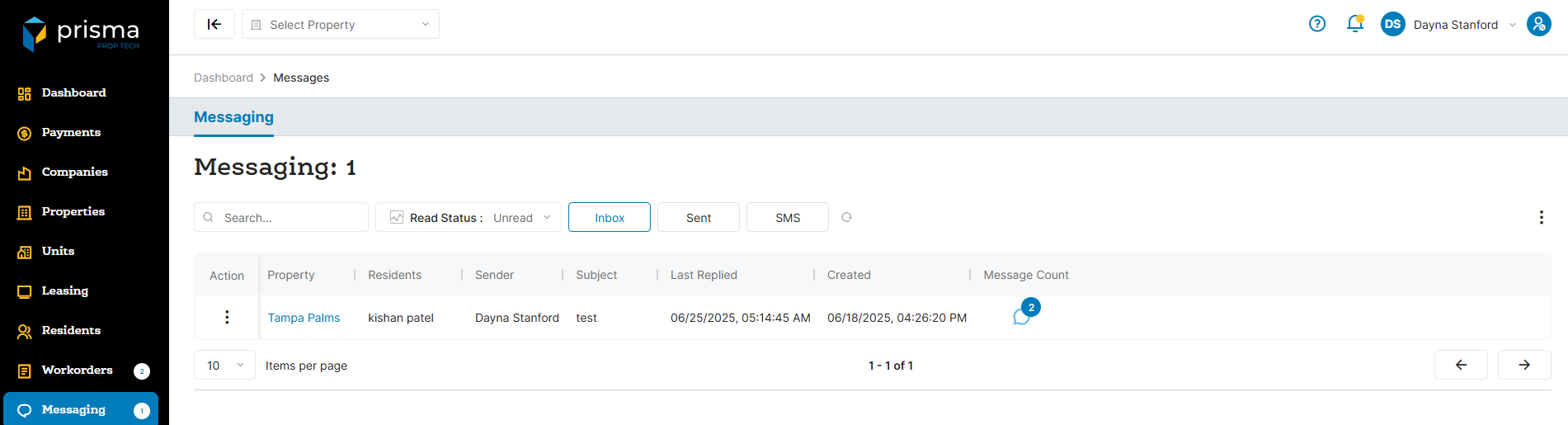
The Messaging tab has the following filters available to use:
- Search – Allows you to search by resident name or subject
- Read Status – Allows you to filter to view all, read or unread messages only
- Inbox – Allows you to view messages in the inbox
- Sent– Allows you to view sent messages
- SMS – Allows you to view sent text messages
Table: Workorder Columns
| Field | Description |
| Action |
View provides options to read a message, respond directly, or access the full conversation thread. |
| Property | The property name for which the batch is associated with |
| Residents | The name of the resident |
| Sender | The name of the Prisma user that sent the message |
| Subject | The subject line of the message |
| Last Replied | The date and time stamp of the last resonse |
| Created | The date and time stamp the message was created |
| Message Count | The number of unread messages in the thread started by the resident |
Within the columns, you may click the three dots and hide or show hidden columns to help make your view unique to you.
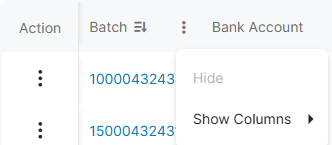
You may also drag and move columns so they are in the order of your preference.
Composing a Message
The Compose Message feature enables you to communicate directly with residents.
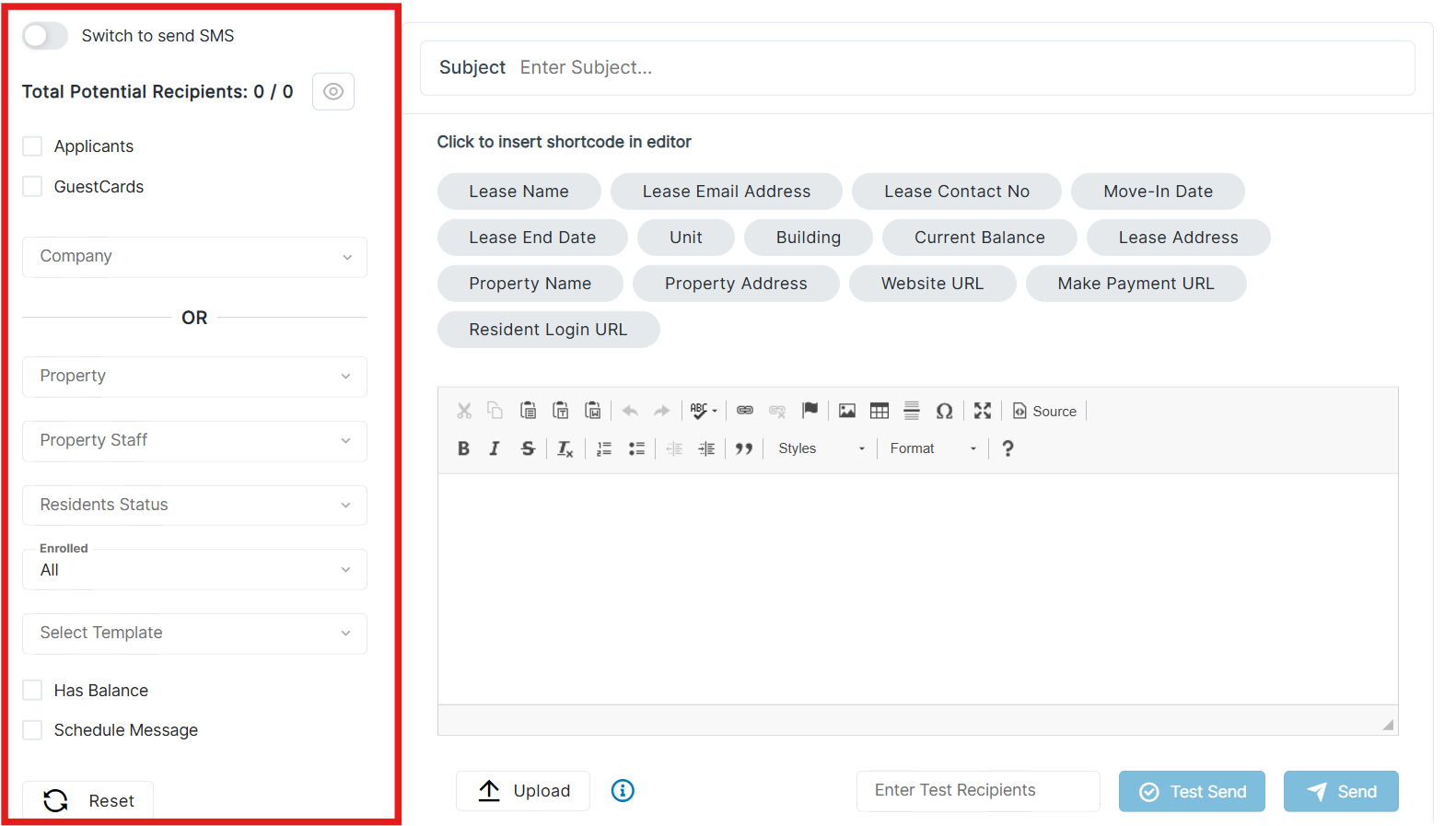
The Compose Message tab has the following filters available:
- Switch to send SMS – If toggled on, the message will change to a text message vs email message
- Applicants – If checked, the message will go to all applicants
- GuestCards – If checked, the message will go to those that have submitted a guest card
- Company – If you manage more than one company, this allows you to filter to send to a specific company
- Property – If you manage more than one property, this allows you to filter to send to a specific property
- Property Staff – Allows you to message Prisma users associated with that property
- Residents Status – Allows you to send messages basaed on a specific resident status
- Enrolled – Allows you to filter residents by enrollment status in the Prisma portal—select all, yes, or no
- Select Template – If you have saved a template, you can select it here
- Has Balance – If checked, the message will go to residents that have a balance in Prisma
- Schedue Message – If checked, you may choose the date and frequency the message should go out
- Select Move In – Allows you to send to residents that have moved in by specific time frame
- Select Frequency – Allows you to choose One Time or Monthly
- Schedule Date – Allows you to choose the day of the month you want the message to go out
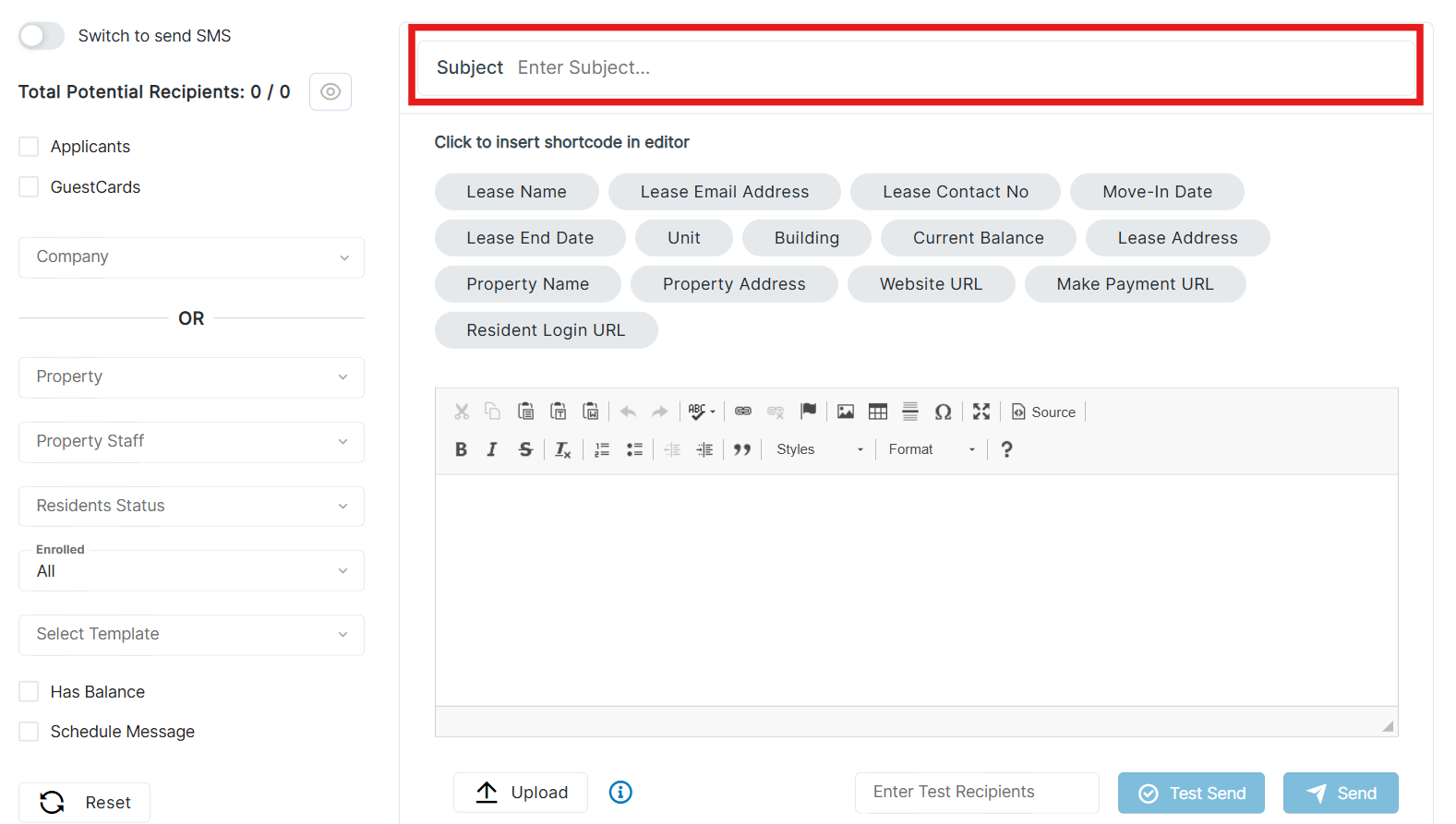
Enter the subject line for your message in the subject field.
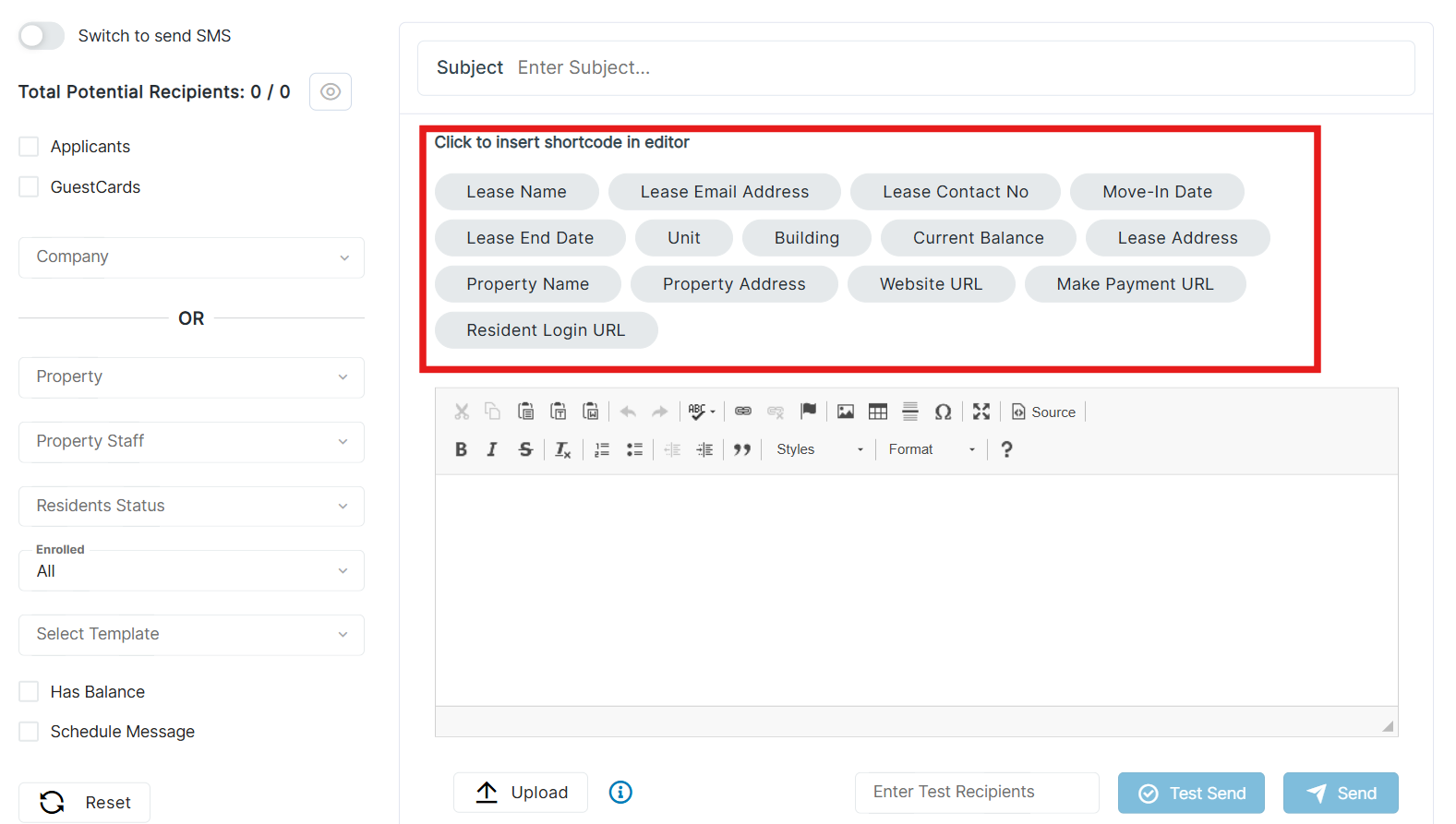
The following shortcoes are available to use when composing a message:
- Lease Name – Will insert the name of the resident
- Lease Email Address – Will insert the email address associated to the resident
- Lease Contact Number – Will insert the contact number assoicated with the resident
- Move-In Date – Will insert the move in date assoicated with the resident
- Lease End Date – Will insert the lease end date assoicated with the resident
- Unit – Will insert the unit number associated with the resident
- Building – Will insert the building number associated with the resident
- Current Balance – Will insert the current balance associated with the resident
- Lease Address – Will insert the address associated with the associated with the resident
- Property Name – Will insert the name of the property associated with the resident
- Property Address – Will insert the property address associated with the resident
- Website URL – Will insert the property URL for the residnet to log into Prisma
- Make Payment URL – Will insert the URL for the resident to log into Prisma and take them directly to the Make A Payment section
- Resident Login URL – Will insert the URL for the residnet to log into Prisma