The Workorders tab will display a list of all workorders that have been created. By default, open workoders will display.
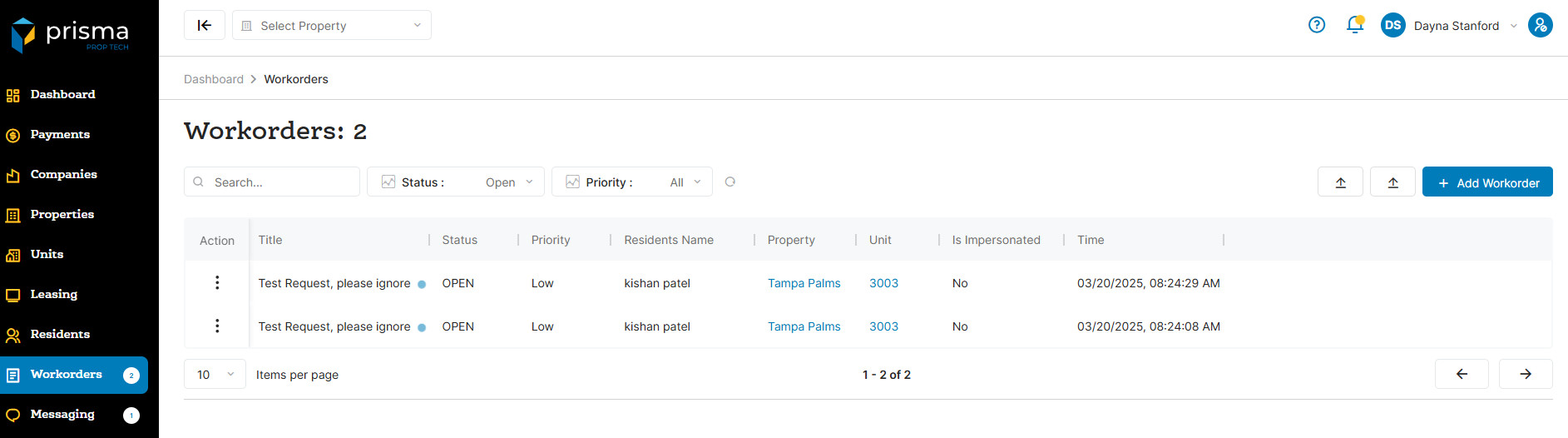
The workorder tab has the following filters available to use:
- Search – Allows you to search by resident name
- Status – The status of the workorder
- Priority – The priority of the workoder
Table: Workorder Columns
| Field | Description |
| Action |
View allows you to see the details of the workorder reqeust. Delete allows you to delete the workorder. Export allows you to export the file either json or csv format |
| Resident | The name of the resident |
| Property | The property name for which the batch is associated with |
| Company | The company name for which the batch is associated with |
| Lease Status | The status of the lease associated with the resident |
| Payment Amount | The amount of the autopay |
| Max Amount | The maximum payment amount authorized for an autopay, as set by the resident |
| Payment Type | The payment type associated with the autopay |
| Scheduled Date | The day of the month the autopay is scheduled to run |
| Final Date | Will indicate if the resident set the autopay to be indefinite or if it is to end on a specific date |
| Status | The status of the autopay |
| Created At | The date and time stamp the resident created the autopay |
| Last Transaction Date | The date and time when the most recent autopay transaction was completed for that resident |
| Next Transaction Date | The date and time the next autopay transaction will run for that resident |
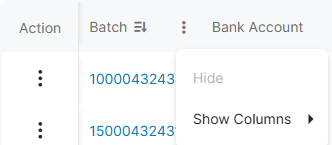
Within the columns, you may click the three dots and hide or show hidden columns to help make your view unique to you.
You may also drag and move columns so they are in the order of your preference.