In the Prisma desktop check scanning software:
- Click on ‘Reports’
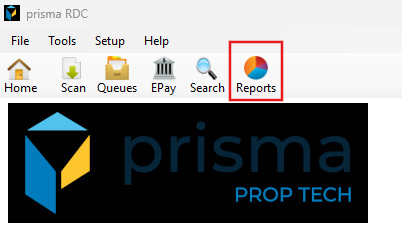
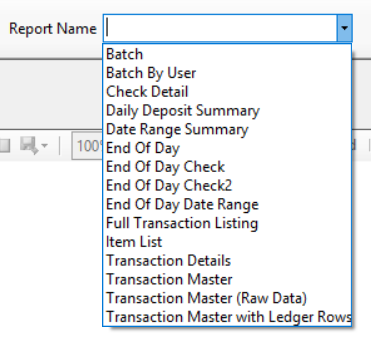
- The following reports should be used:
- Check Detail with Batch- Displays the check image
- Transaction Master with Ledger Row – Same as the transaction master report but includes the ledger details
- Select the report from the drop down
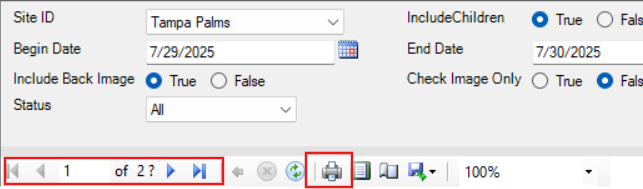
- Depending which report you select, different filter options will display. Using the Check Detail as an example, you will choose your site ID, if not defaulted, the date range, if you want the check image included and which stauts. Once all items are selected, click view report on the far right

- Once the report generates, you can use the arrows to page over or click the printer icon to print or the disk icon to save to your computer