- On your desktop, open the FTNI RDC software
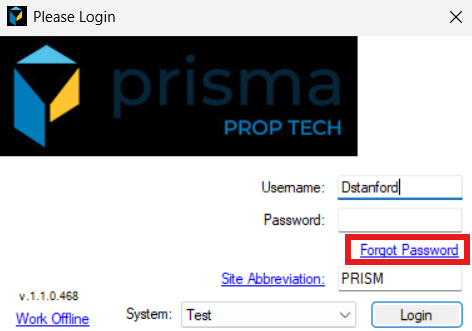
- Enter your Username
- Click ‘Forgot Password’
- A pop up will appear, ‘An email has been sent to your email address with yhour temporary password. Thank you’
- Open the email to access your temporary password
- Go back to the FTNI RDC software and enter your username and temporary password
- You will be prompted to change your password. Enter the tempoary password along with your new password
- Click ‘Submit’