The transaction tab will display all payments in Prisma.
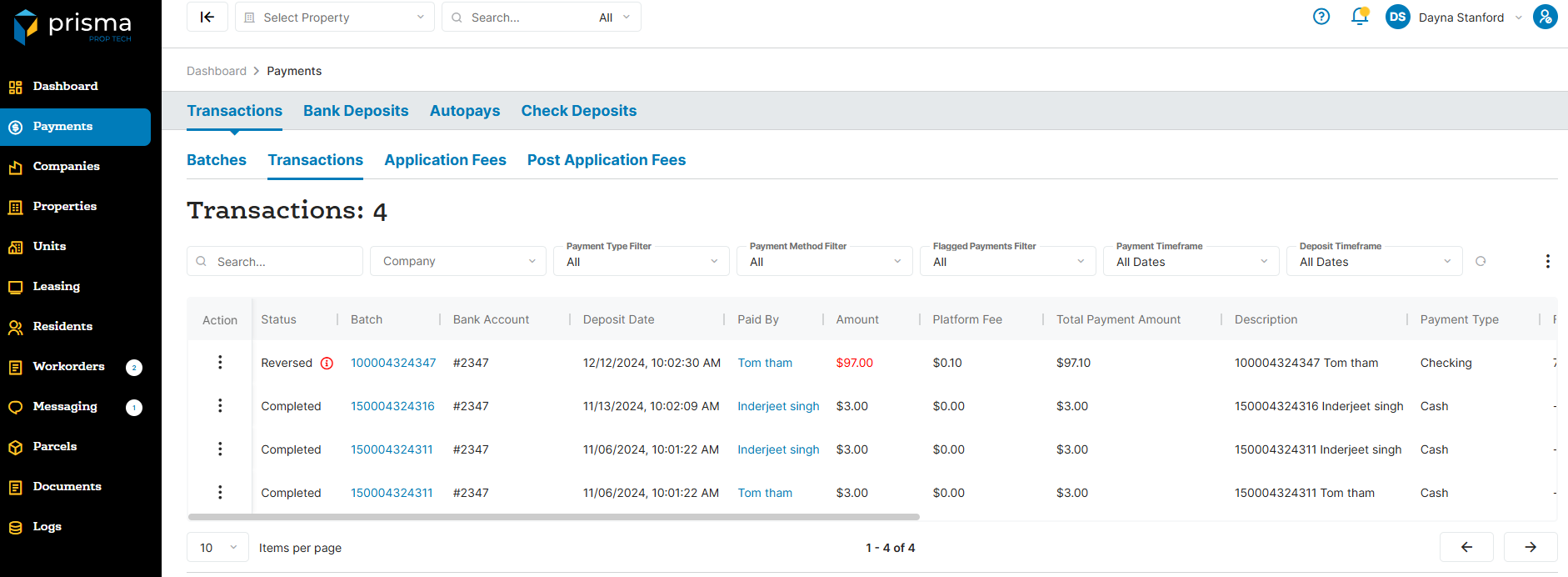
The Transaction tab has the following filters available to use:
- Search – Allows you to search by auth id or amount.
- Company – Filter by company, if you are associated to more than one.
- Payment Type Filter – Filter by rent payments.
- Payment Method Filter – Filter by payment type: Bank Account, Card, Mobile Check, Walk-In Cash or Manually Entered.
- Flagged Payments – Filter by: Chargeback, Cancelled, Failed, Returned, Reversed, Refund and Voided.
- Payment Timeframe – Allows you to filter by the date the payment was created.
- Deposit Timeframe – Filter by deposit date rangae.
Table: Transactions Column
| Field | Description |
| Action | Allows you to view the transaction detail. You can also fetch the updated status, view or download the receipt or email the receipt |
| Status | The status of the payment |
| Batch | The batch ID created by Prisma |
| Bank Account | The last four digits of the property bank account funds were deposited into |
| Paid By | The name of the resident |
| Total Payment Amount | The payment amount plus the fee amount |
| Platform Fee | The platform fee amount charged |
| Amount | The total payment amount, not including the platform fee |
| Description | This takes the batch ID and Resident name |
| Payment Type | The payment type: Checking, Cash, Credit Card, Debit Card |
| Fee Auth ID | The auth ID linked to the fee transfer from the property to Prisma |
| Last Four Digits | Displays the last four digits of the bank routing number and account number |
| Unit No | The unit associated to the payment |
| Property | The property name for which the batch is associated with |
| Company | The company name for which the batch is associated with |
| Reversed On | The date and time stamp the payment was reversed |
| Is Exported | If you do not have a PMS integration, this field will determine if you exported the transaction list or not |
| Auth ID | The unique authorization code associsted to the payment processed in Prisma |
| Frequency | The frequency of the payment |
| PMS Sync Status | The status of the sync to the PMS system |
| PMS Batch | The batch number within the PMS system |
| Deposit Date | The date and time stamp the deposit was opened in Prisma |
| Payment Date | The date and time stamp the payment was initiated |
| PMS Pushed On | The date and time stamp the transaction was pushed to the PMS system |
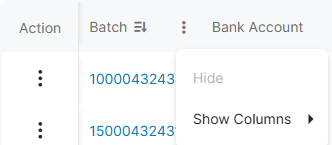
Within the columns, you may click the three dots and hide or show hidden columns to help make your view unique to you.
You may also drag and move columns so they are in the order of your preference.