- In your Prisma account, navigate to ‘Payments” on the left hand side
- Click on ‘Check Review’
- In the ‘RDC Status’ filter, select ‘Pending’
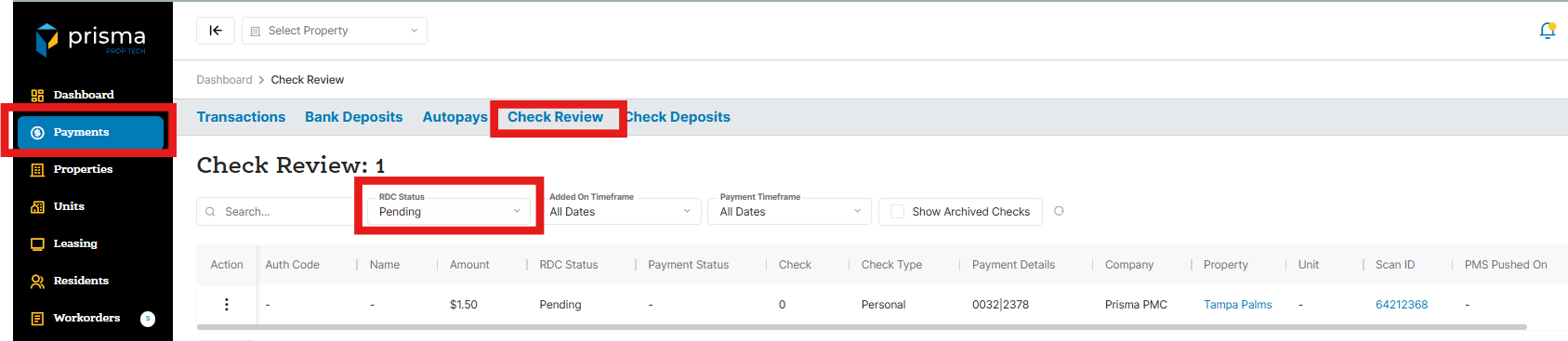
- In the ‘Action Column’ click the three dots and select ‘View’
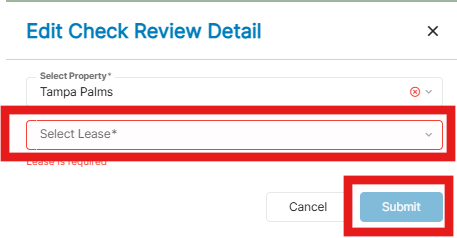
- If you need to review the check image, click ‘View eCheck Images’. If not, click the ‘Pencil Icon’ to assoicate the lease to the check

- Select the lease and click ‘Submit’
Continue the process until all pending checks have been updated.