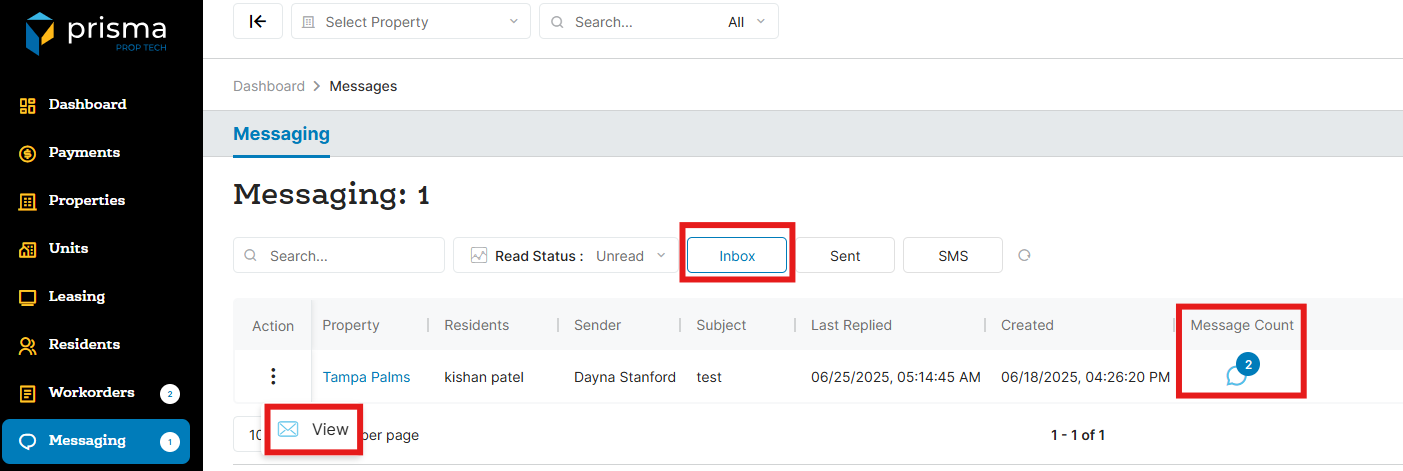
- In your Prisma account, navigate to ‘Messages’ on the left hand side
- By default, you will land in the ‘Inbox’. Once you locate the message you want to view, click the three dots in the ‘Action’ column and select ‘View’
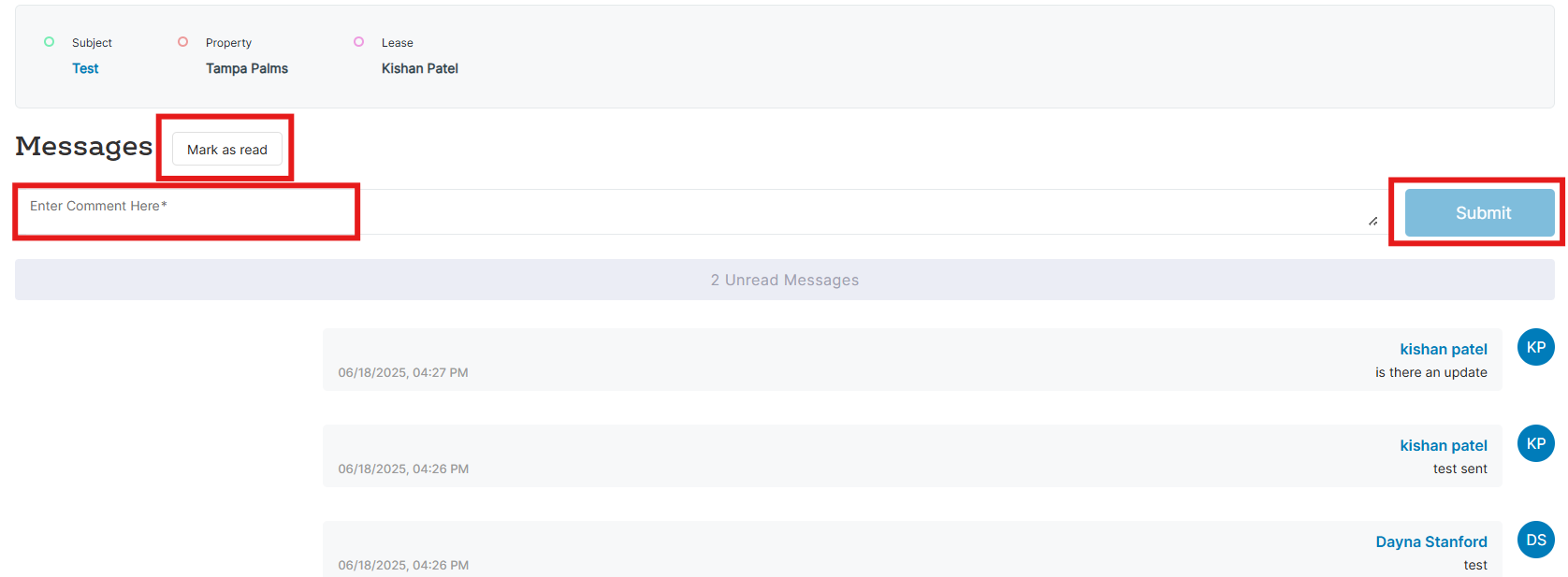
- Select ‘Mark As Read’ if you want the message to show you have read it
- If you want to reply, add your response in the ‘Enter Comment Here’ section and click ‘Submit’