- In AIM, navigate to “Residents” on the left hand side of the screen
- Click on “Resident Listing”
- Select “Pending” or “Former” and search for the resident
- Click “Select” to open the residents account
- Navigate to the “Application Info” section and select the resident under the “Additional Info” section
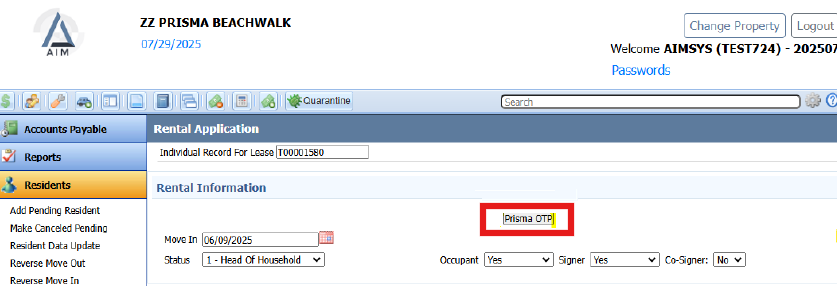
- Under the “Rental Information” card, click the “Prisma OTP” button.
- The “Resident Information” section should automatically populate. If it doesn’t, please manually enter the details. Proceed to the “Payment Information” section, where you will input the description and amount, then click “Generate Link”
- The “One Time Payment Link” will be generated. Copy and paste this link into your communication with the resident
Payments made by residents will sync to AIM in real time. Each payment link is valid for 24 hours and can only be used once. For residents on a payment plan, a new link must be sent for each payment.