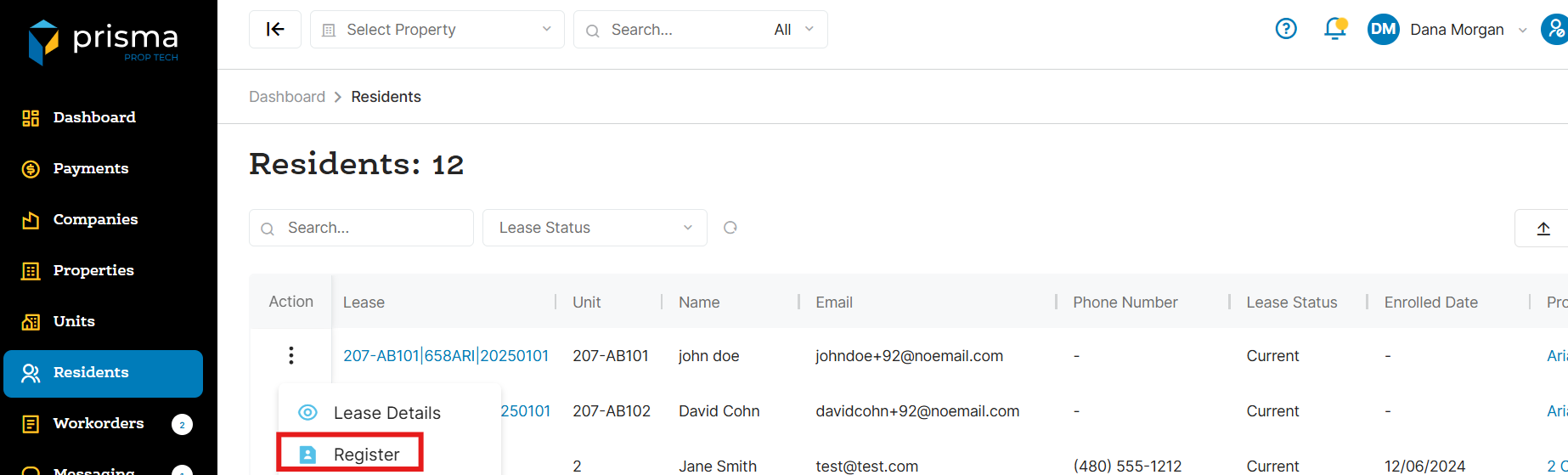
- In your Prisma account, navigate to ‘Residents’ on the left hand side
- Once you locate the resident you want to register, click the three dots in the ‘Action’ column and select ‘Register’
- Add the residents email address and create a password for them. Once done, click ‘Register’
- The resident will receive an email letting them know their account has been created. You will need to provide them with the password you created or instruct them to follow the ‘Forgot Password’ flow
Note: Once a resident registers, you will no longer see the ‘Register’ option. If you need to modify their profile, refer to the ‘How Do I Edit A Residents Profile’.