To post an announcement to appear on the resident portal dashboard, follow the steps below:
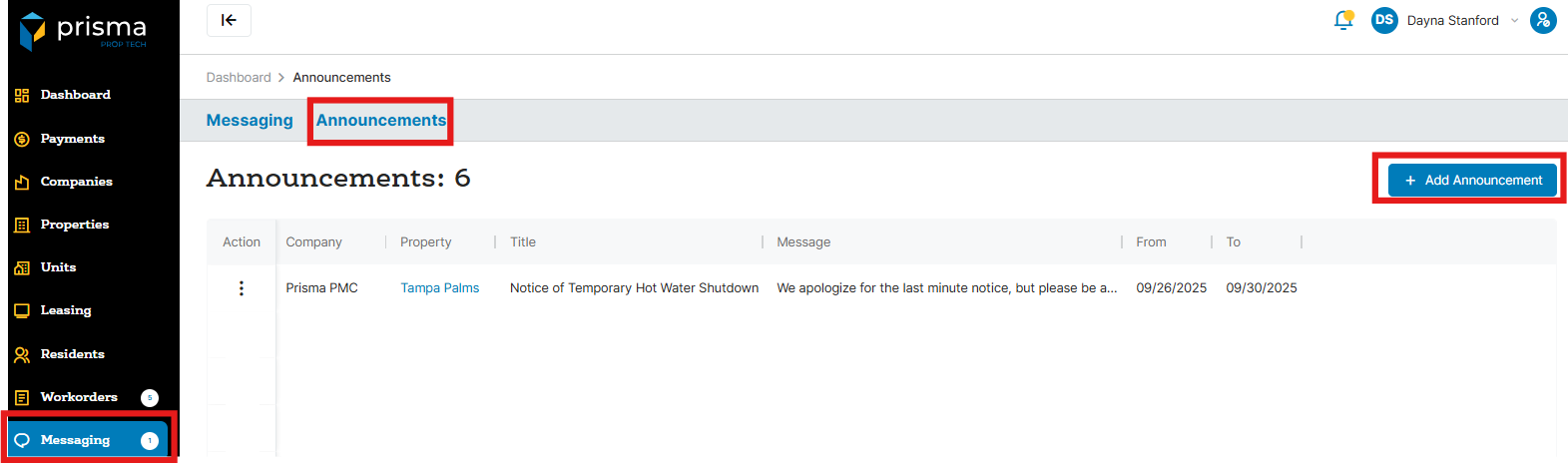
- In your Prisma account, navigate to ‘Messages’ on the left hand side
- Click on “Announcements” and “+ Add Announcement”
- From the Company dropdown menu, choose the relevant company name
- From the Property dropdown menu, choose the relevant property name
- Enter the announcement title
- Enter the announcement message
- Select the start and end dates
- Click “Submit”
You have the option to send the announcement via email, SMS, or as a banner on the resident portal. Multiple methods can be selected.