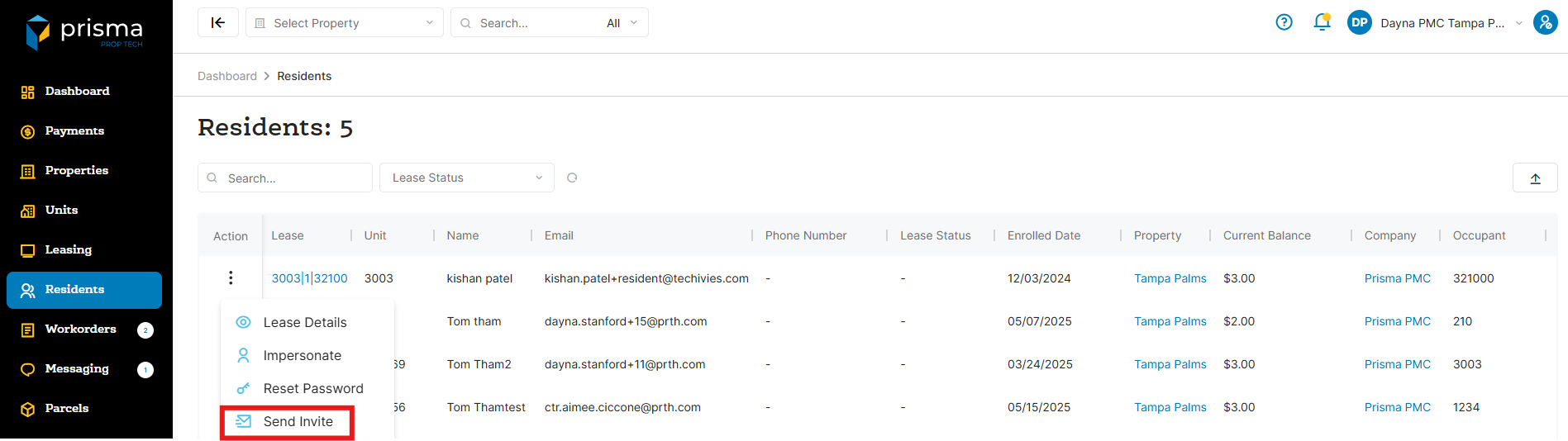
- In your Prisma account, navigate to ‘Residents’ on the left hand side
- Once you locate the resident you want to send an invitation to, click the three dots in the ‘Action’ column and select ‘Send Invite’
- A pop up window will appear asking if you are sure you want to send the invite. Click ‘Ok’
- The resident will receive an email with a link to register on the resident portal
Please ensure that the resident has an email address recorded in their profile before sending an invitation. If the resident does not have an email on file, you can find instructions on how to add one in the article titled ‘How Do I Edit A Resident’s Profile’.