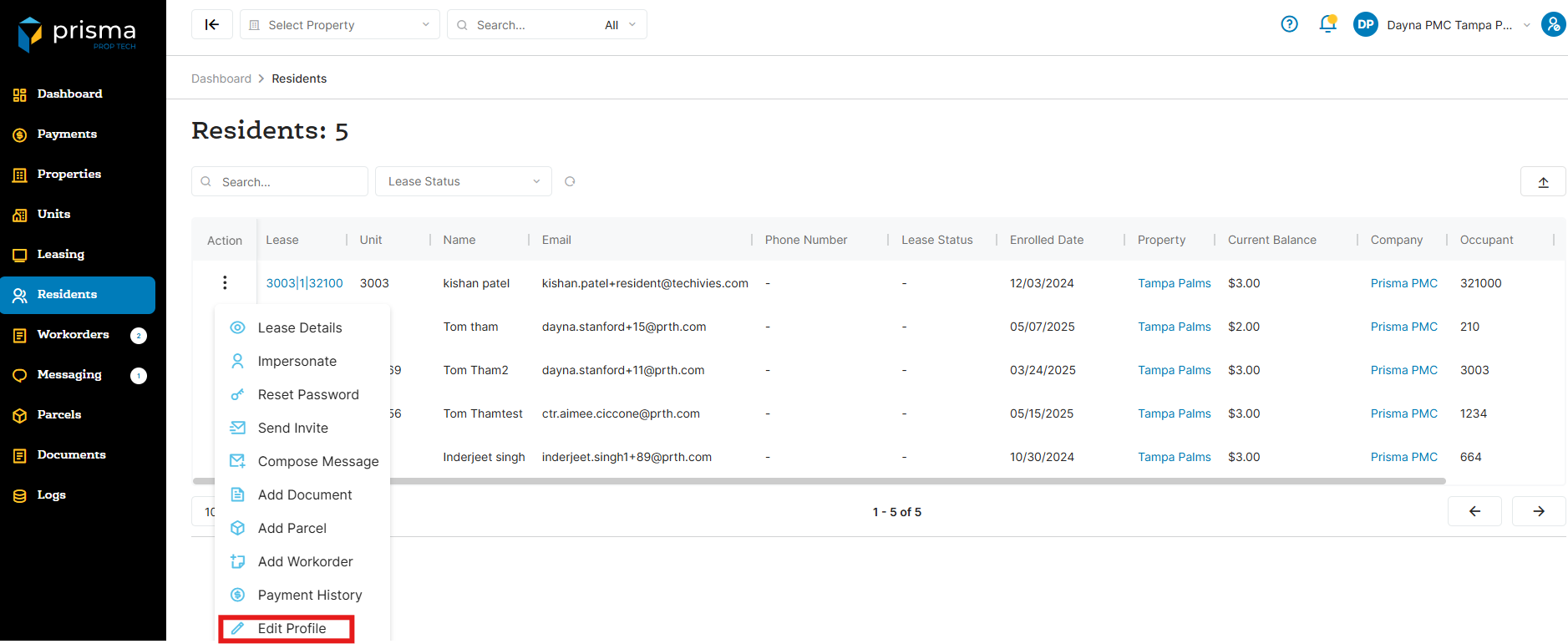
- In your Prisma account, navigate to ‘Residents’ on the left hand side
- Once you locate the resident you want to edit, click the three dots in the ‘Action’ column and select ‘Edit Profile’
- Once you have made the necessary edits, click ‘Submit’
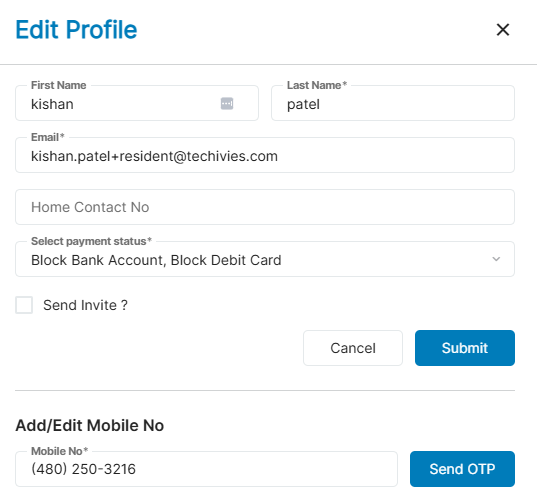
Please note that if you are adding or updating a resident’s email address, you can select the ‘Send Invite?’ checkbox. This will trigger the system to send an email to the resident, allowing them to create their account.