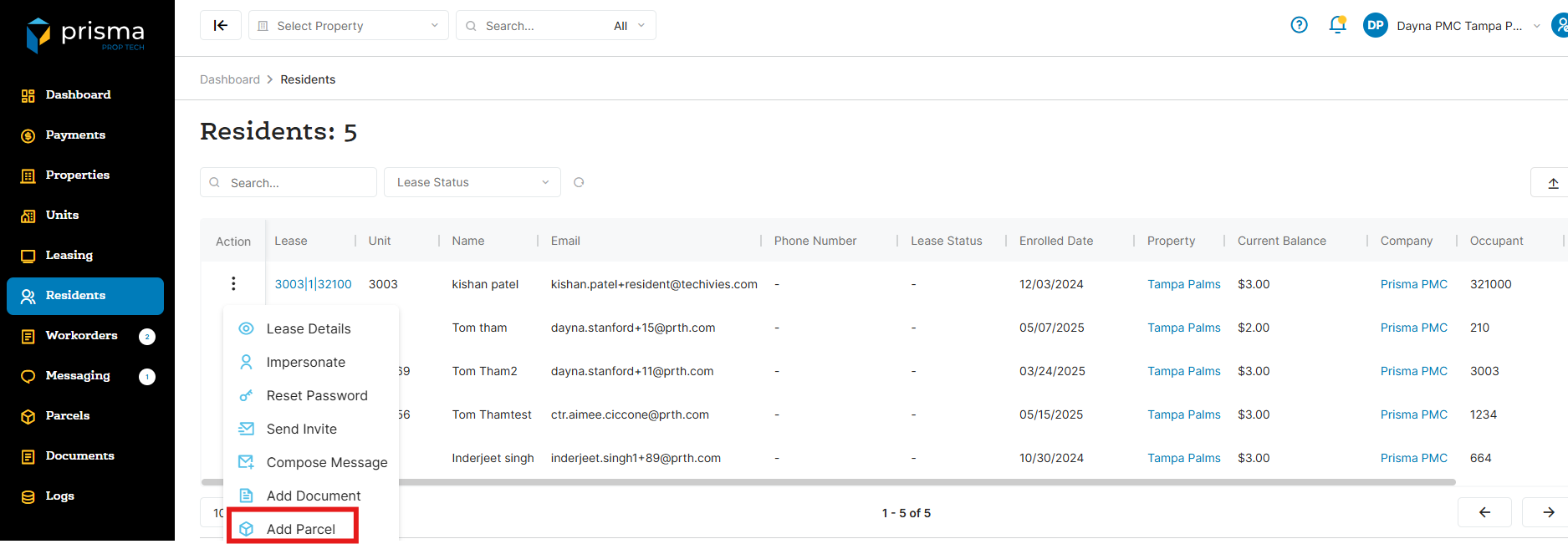
- In your Prisma account, navigate to ‘Residents’ on the left hand side
- Once you locate the resident you want to edit, click the three dots in the ‘Action’ column and select ‘Add Parcel’
- In the ‘Description’ box, enter the message you want the resident to receive. You may also click “Add Parcel Image’ to upload a picture of the parcel
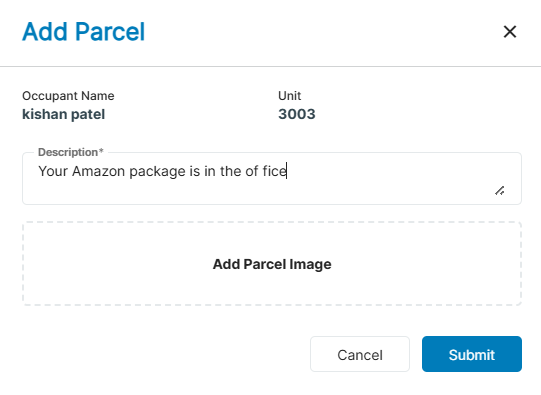
- Once you click ‘Submit’, the resident will receive the message in their Prisma Resident Portal under the ‘Parcel’ section
If you find that this feature is not available in your account, it may not be part of your current subscription plan. To inquire about adding this feature, please contact our Account Management team for further support.