The Companies tab will display a list of all companies associated with your account.
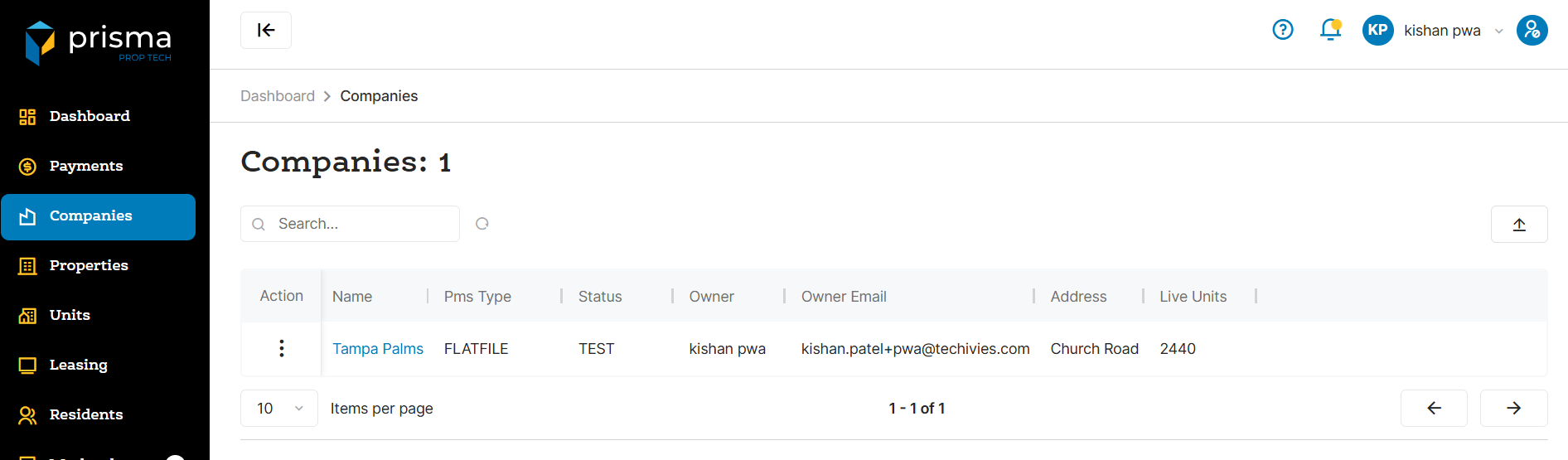
The Companies tab has the following filters available to use:
- Search – Allows you to search by company name
- Export – Export the list of company records
Table: Companies Columns
| Field | Description |
| Action |
View will take you to the detail screen where you can see the number of properties or manage company users. You can also access email templates or download the QR code for the company Prisma URL. If edit permissions are enabled, you will be able to manage settings related to payments and settings related to workorders. |
| Name | The name of the company |
| PMS Type | The PMS software associated with the company |
| Status | The status of the company (live or not live) |
| Owner | The owner of the company |
| Owner Email | The email address associated with the owner of the company |
| Address | The address associated with the company |
| Live Units | The number of units that are live for that company |
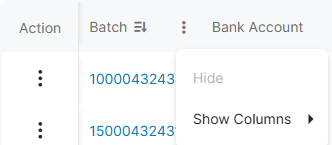
Within the columns, you may click the three dots and hide or show hidden columns to help make your view unique to you.
You may also drag and move columns so they are in the order of your preference.