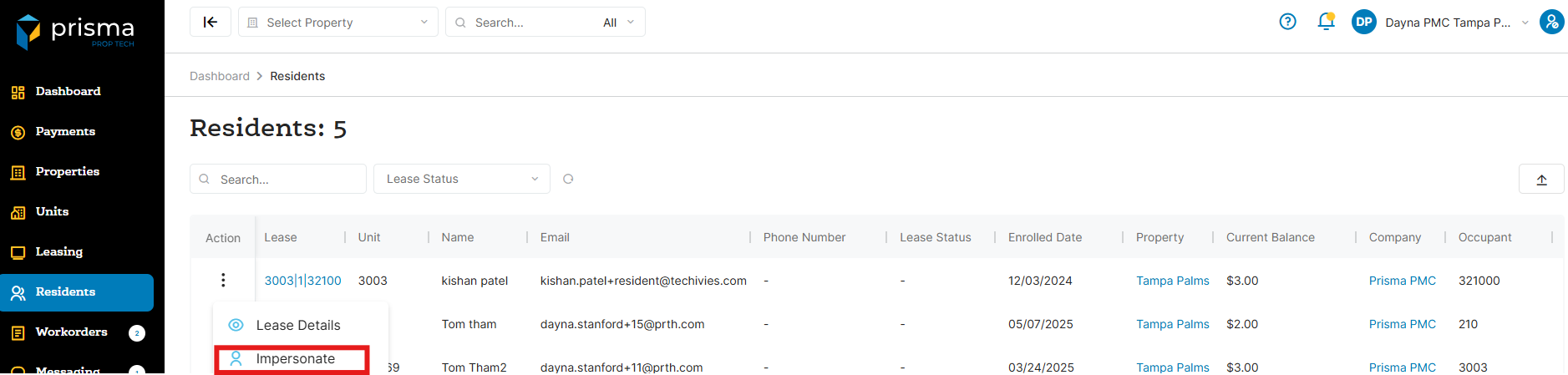
- In your Prisma account, navigate to ‘Residents’ on the left hand side
- Once you locate the resident you want to edit, click the three dots in the ‘Action’ column and select ‘Impersonate’
- A new window will open and you will be taken to the residents portal
Please note that access to this feature depends on your assigned policy permissions.