The Documents tab will display a list of all the documents that have been added into Prisma.
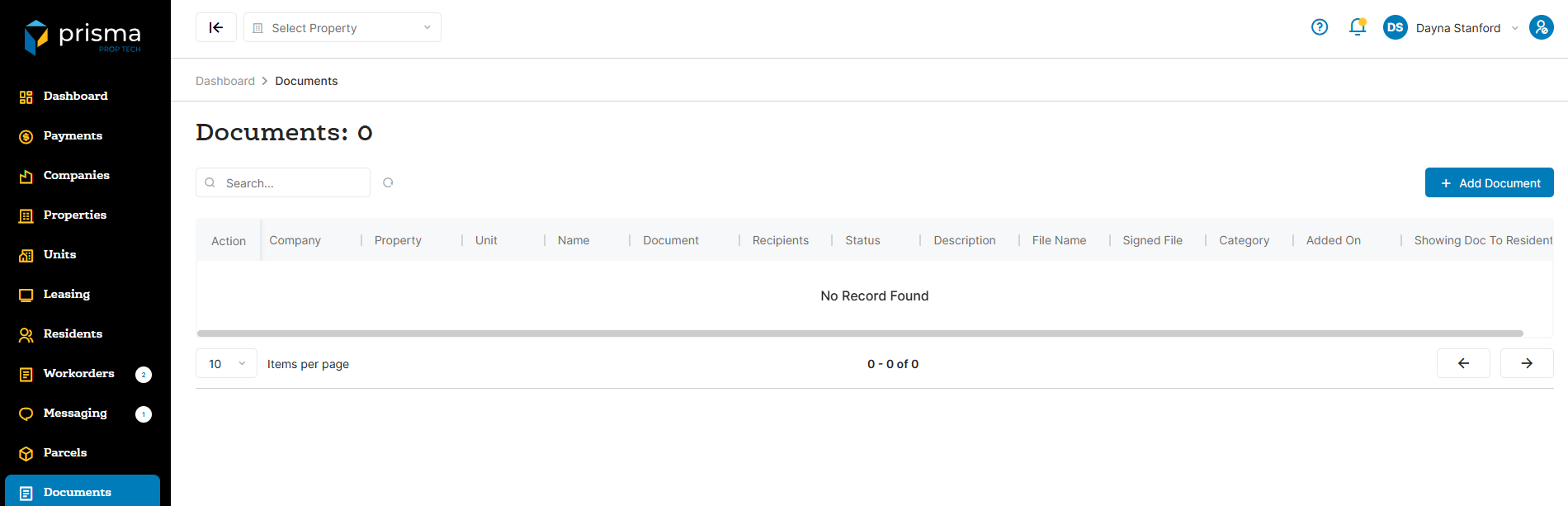
The Documents tab has the following filters available to use:
- Search – Allows you to search by resident name or document type
Table: Document Columns
| Field | Description |
| Action |
Edit allows you to update the description or if it should be available to the resdient in the portal. Delete allows you to delete the doucment |
| Company | The company name for which the document is associated with |
| Property | The property name for which the batch is associated with |
| Unit | The unit number associated with the doucment |
| Name | The name of the resident |
| Document | |
| Recipients | |
| Status | |
| Description | The description entered when the document was added |
| File Name | The name of the document uploaded |
| Signed File | |
| Catgegory | The category associated to the doucment |
| Added On | The date and time stamp the document was added to Prisma |
| Showing Doc To Resident | Shows whether the document is visible to the resident |
Within the columns, you may click the three dots and hide or show hidden columns to help make your view unique to you.
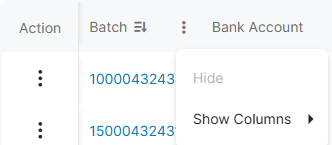
You may also drag and move columns so they are in the order of your preference.