The units tab will display the list of units associated with the users account.
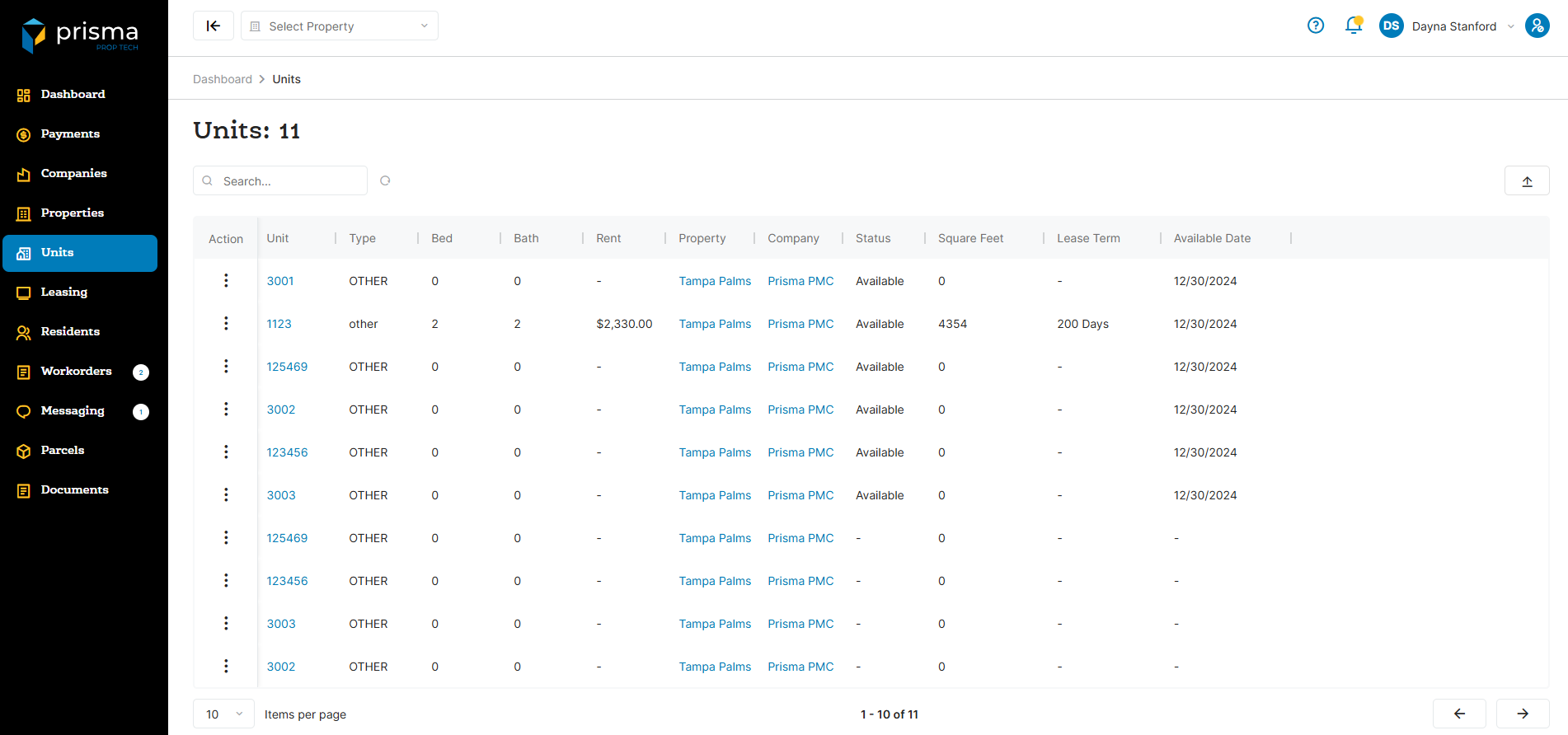
The Units tab has the following filters available to use:
- Search – Allows you to search by unit ID.
- Export – Allows you to export the list of units.
Table: Units Column
| Field | Description |
| Action |
View opens the unit detail screen, where you can see all residents associated with the unit or update their status to evicted. Invite Applicant allows you to send an invitation to a prospective resident, prompting them to complete an application for the unit. |
| Type | This is the type of unit determined by the PMS system |
| Bed | The total number of bedrooms included in the unit |
| Bath | The total number of bathrooms available in the unit |
| Rent | The rent amount for that unit |
| Property | The name of the property where the unit is located |
| Company | The name of the company where the unit is located |
| Status | Shows whether the unit is currently available for lease or has been occupied. |
| Square Feet | The total square footage of the unit, representing the overall livable space available. |
| Lease Term | The term of the lease associated to the unit |
| Available Date | The date the unit will be available |
Within the columns, you may click the three dots and hide or show hidden columns to help make your view unique to you.
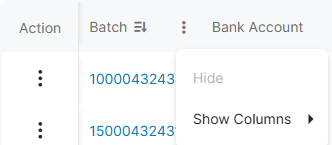
You may also drag and move columns so they are in the order of your preference.