The Check Review tab will display a list of checks or money orders that were scanned using the desktop check scanner.
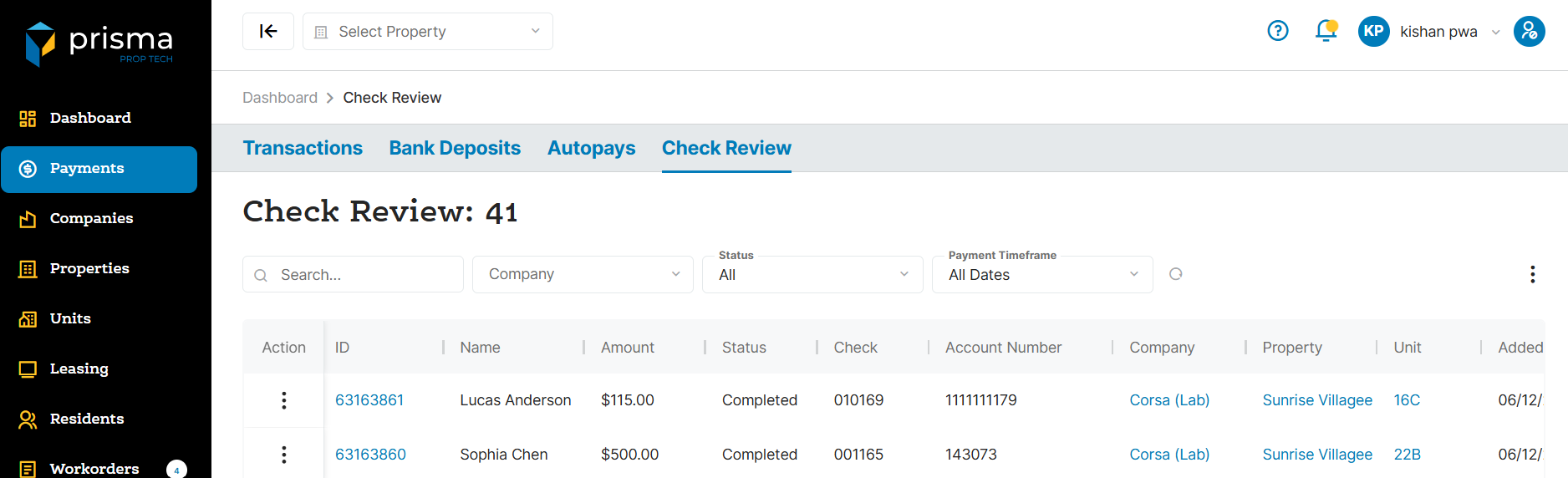
The Check Review tab has the following filters available to use:
- Search – Allows you to search by Deposit ID, Batch ID or amount.
- Company – Allows you to filter by company, if you are associated to more than one.
- Status – Allows you to filter by peding, completed or duplicate items.
- Payment Timeframe – Allows you to filter by the date the item was scanned and submitted for processing.
Table: Check Review Columns
| Field | Description |
| Action | Allows you to view the details of the scanned payment or view the scanned image itself |
| ID | The unique ID associated with the scanned payment |
| Name | The name of the resident |
| Amount | The amount of the scanned payment |
| Status | The status of the scanned payment |
| Check | The check number of the scanned payment |
| Company | The company name for which the batch is associated with |
| Property | The property name for which the batch is associated with |
| Unit | The unit number the scanned payment is linked to |
| Added On | The date and timestamp the scanned payment was added into Prisma |
Within the columns, you may click the three dots and hide or show hidden columns to help make your view unique to you.
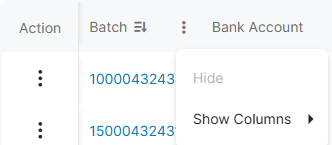
You may also drag and move columns so they are in the order of your preference.