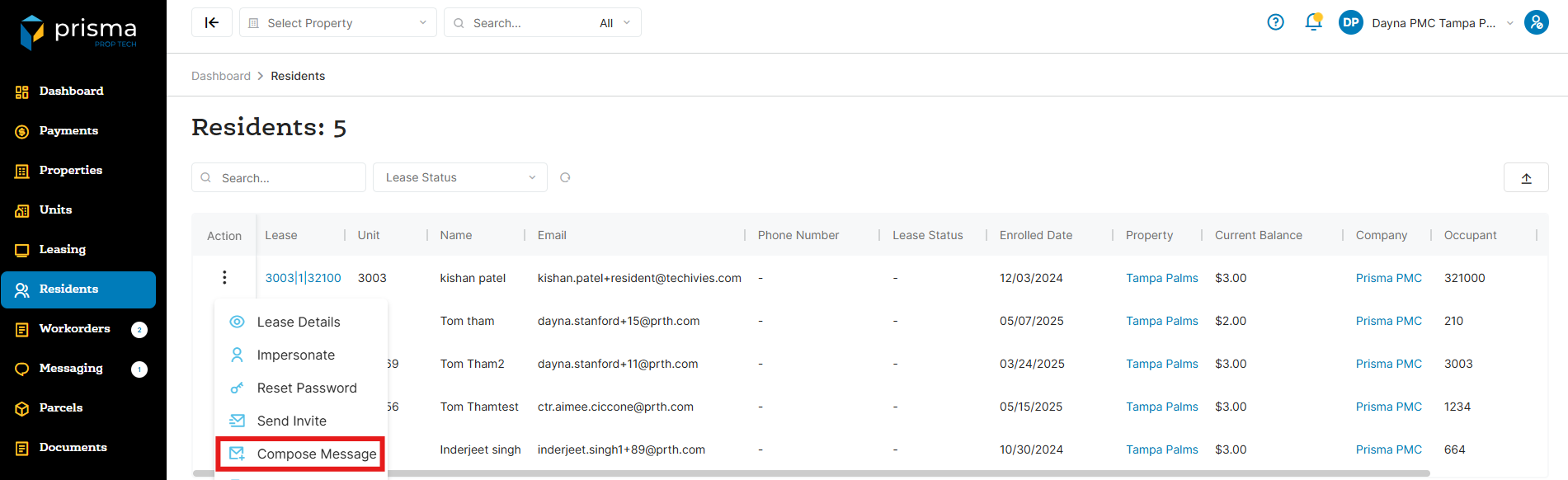
- In your Prisma account, navigate to ‘Residents’ on the left hand side
- Once you locate the resident you want to message, click the three dots in the ‘Action’ column and select ‘Compose Message’
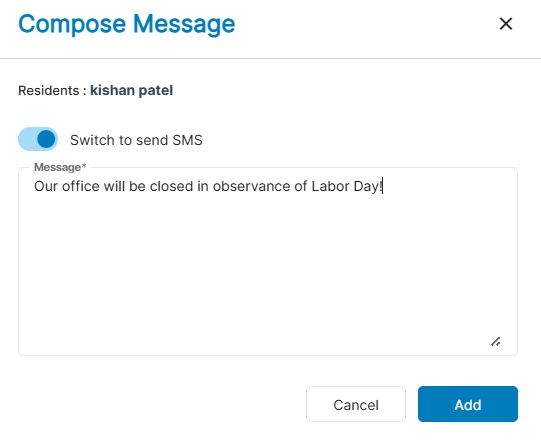
- Click the ‘Switch to SMS’ toggle
- Enter the message you want to send. Once done, click ‘Add’
- The resident will receive the text message and it will appear in their Prisma Resident Portal under the ‘Messages’ section